



TL;DR
- We’ve rebuilt the RFQ for clearer pricing, simplified UX and faster decision-making.
- Create complex structures, submit an RFQ and receive competitive quotes instantly.
- The new flow removes the friction of wide spreads and comes complete with cost, margin, greeks, and payoff visuals.
A Better RFQ Experience, Informed by Real Traders
After dozens of user interviews, one theme kept repeating: “Just show me the real price and let me act.”
So we rebuilt the RFQ interface to do exactly that. The new design puts structure selection, visual payoffs, greeks, and pricing streams in one place.
How to use the new RFQ
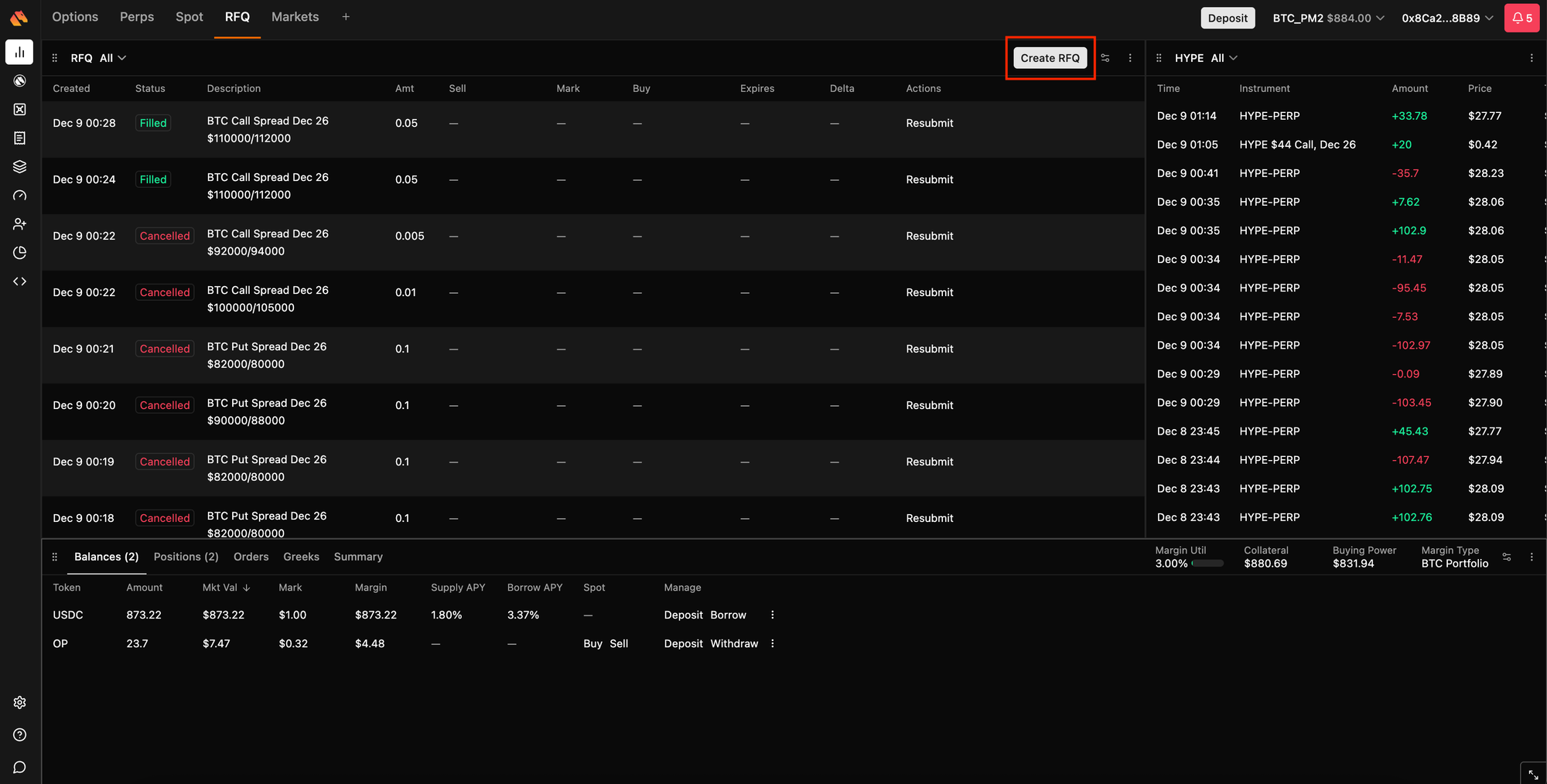
1. Visit the RFQ page and Create RFQ
Go to The new RFQ page and click Create RFQ to start a new request.
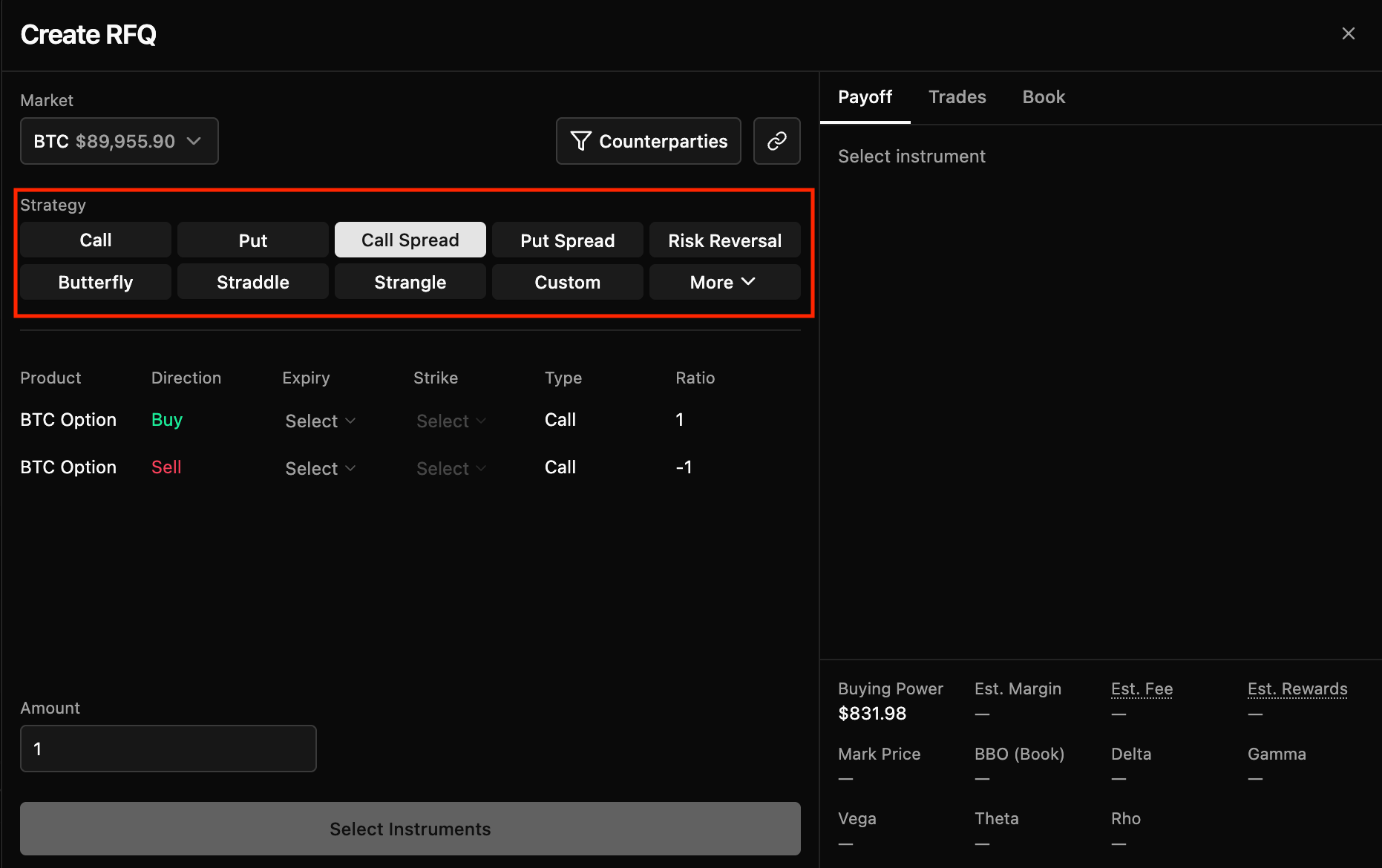
2. Choose Your Strategy
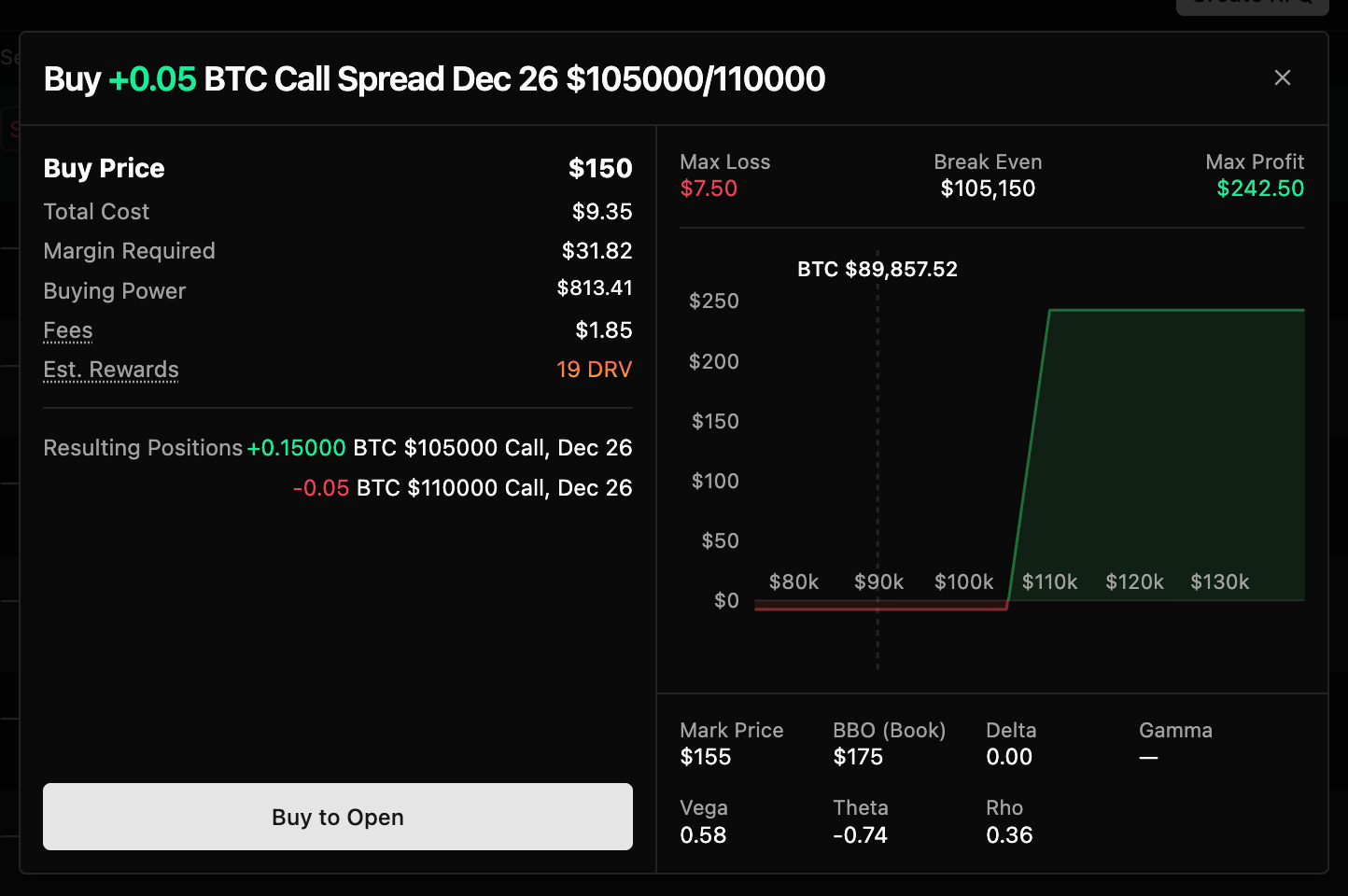
Calls, puts, spreads, or custom legs, pick the shape of your trade. The payoff chart updates instantly as you build.
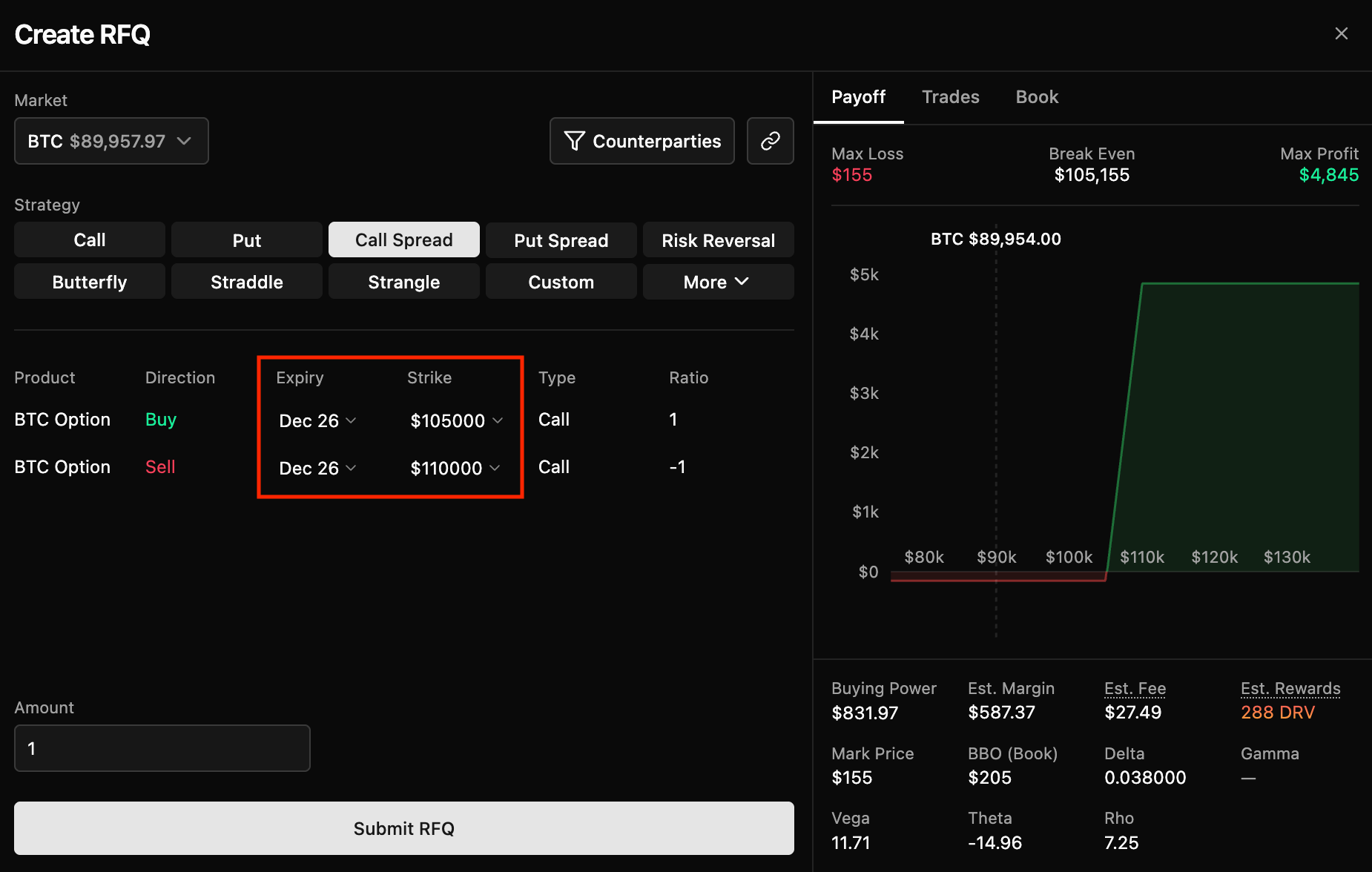
3. Set Expiry and Strike
Choose the maturity and strikes that match your view. The system handles all the leg-risk math for you.
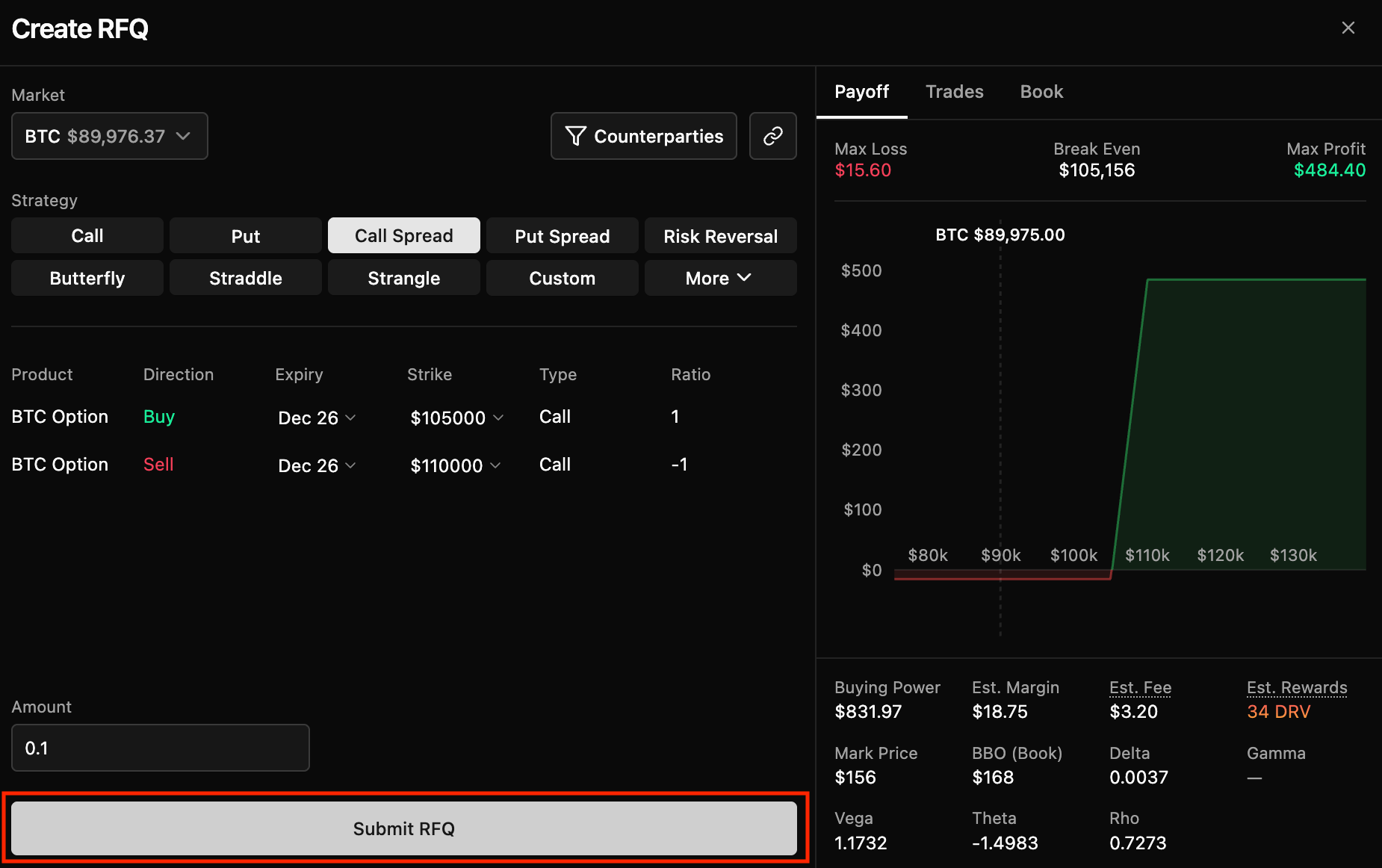
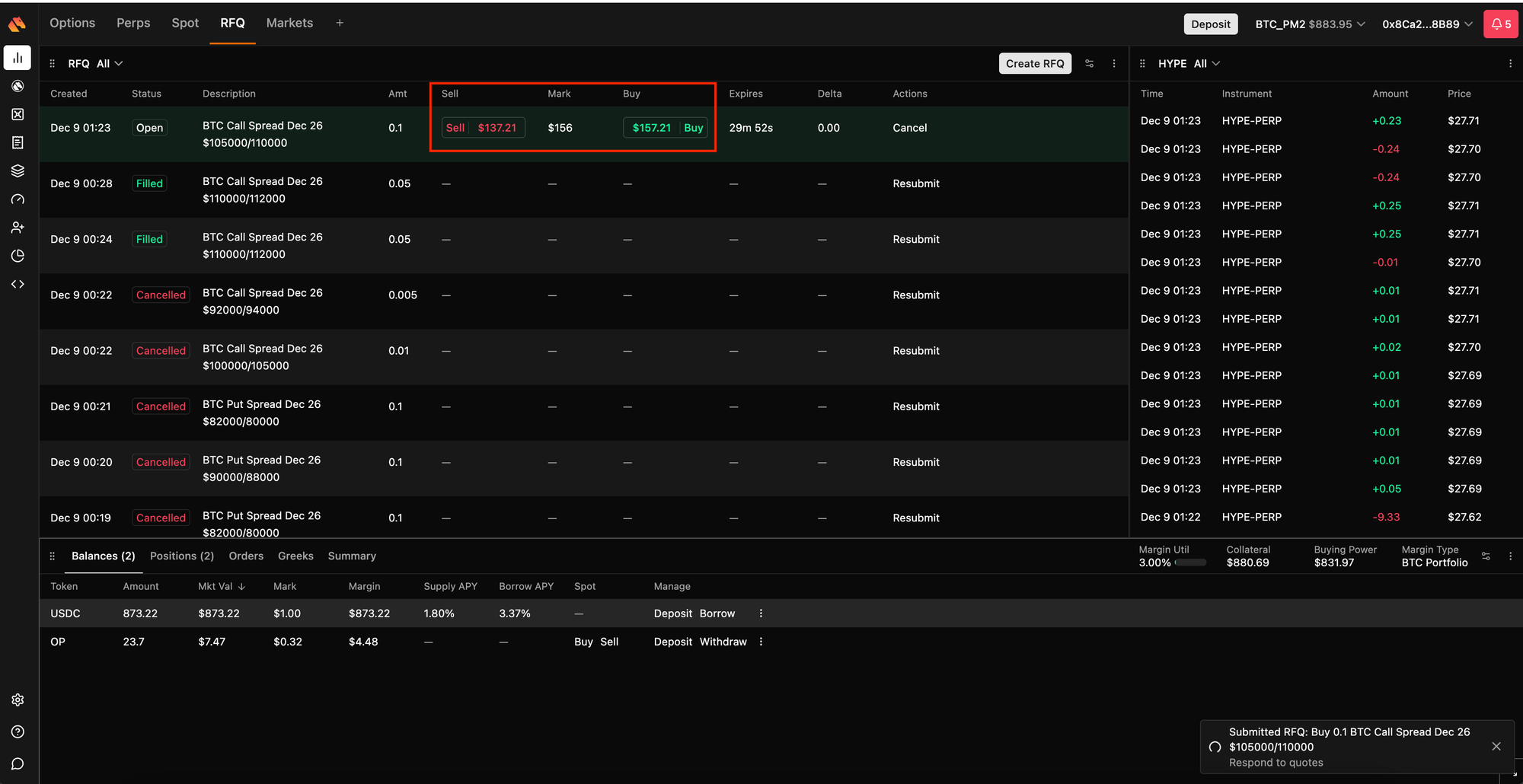
4. Submit the RFQ
Once submitted, makers receive your request immediately.
5. Review Quotes
Buy and sell quotes appear side-by-side. Choose the price you want.
And that's it! You've just traded on the cheapest onchain options venue in the industry.


